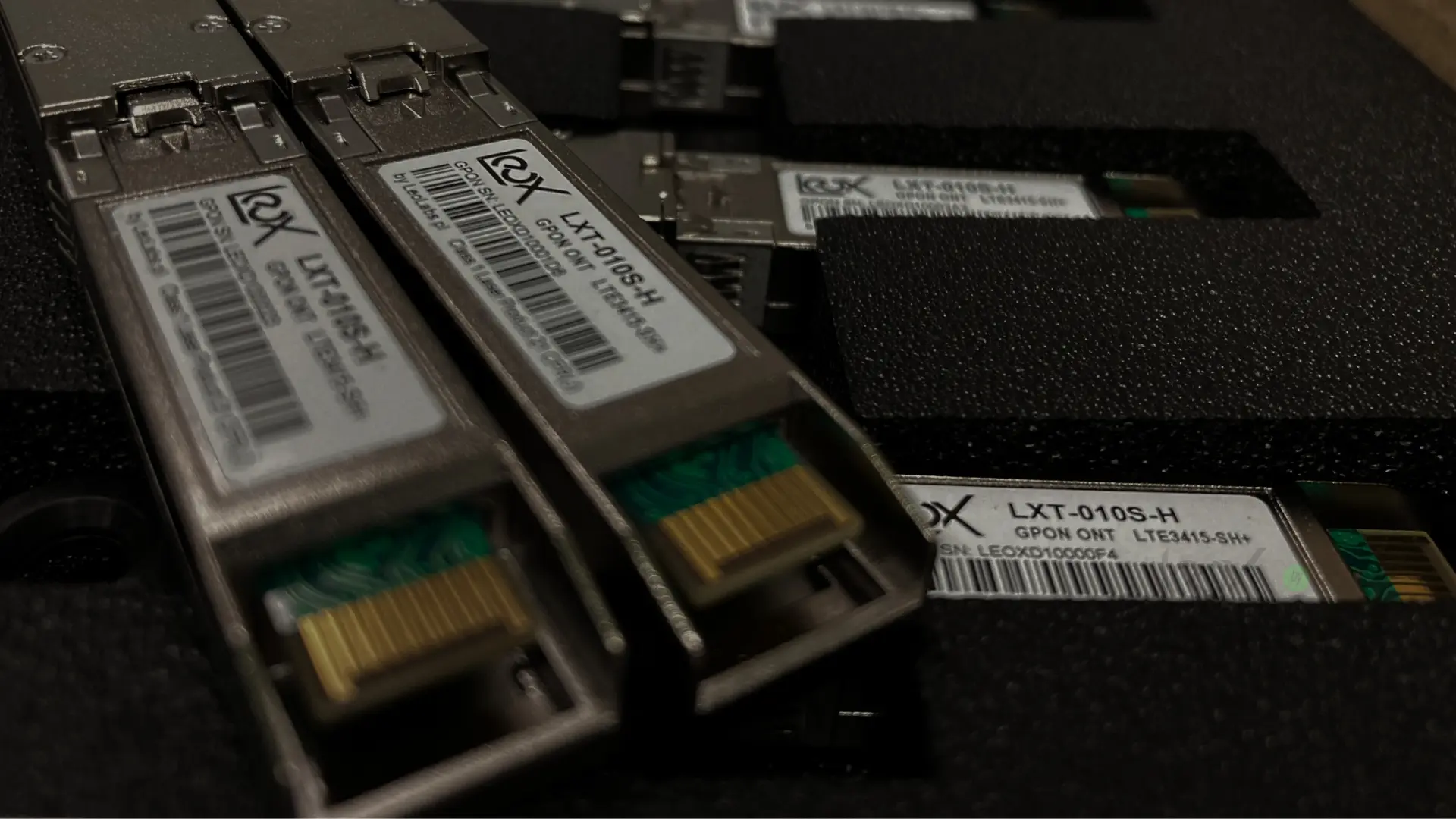
Our ONT GPON Stick LXT-010S-H seems to be quite popular around the globe for various scenarios - due to:
- Quality and stability;
- Interoperability;
- Our openness and support.
But you are not here to see an advertisement and we are far from trying to sell anything here. As our openness is mentioned, let's get to the point and take a look into the use case to put such GPON ONT stick into router or switch to omit extra boxes and power supplies.
Here starts the fun
Some facts:
- GPON SFP Stick has CPU inside, in our case it is RTL9601C with MIPS core running @112MHz;
- It generates a lot of heat - so if your module reports around 80°C - it is still within range of Leox LXT-010S-H operations, as we deliver it only in Industrial Temperature range (-40°C to 85°C);
- It runs on Linux - so the entire system must boot up to be ready for operations - and it has it's consequences.
SFP-MSA standard defines PIN(6) as MOD_DEF0 that in case of empty cage means SFP is not present" (by default, pulled-up, so logical state "1").
Reference: https://members.snia.org/document/dl/26184
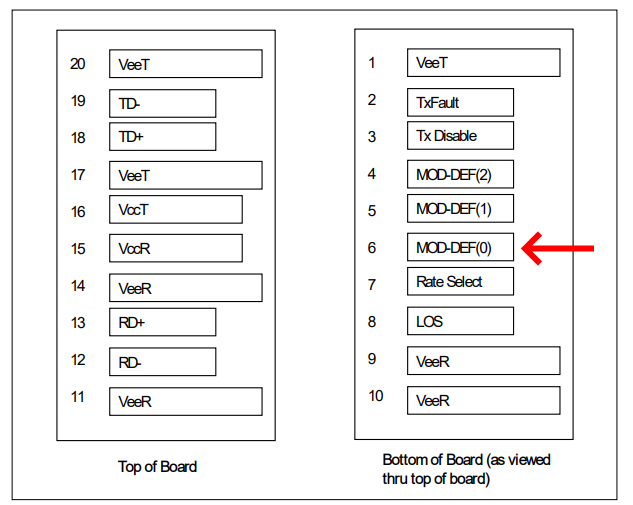
Figure 1.1: MOD_DEF0 PIN Architecture.
Once regular SFP is inserted - MOD-DEF0 is grounded by the module to indicate that the module is present. This is simple as hammer, but we are not regular SFP, we have Linux onboard that needs to boot up first - and when it is ready, it will pull-down PIN(6) with the use of GPIO operation, to indicate "Hello, I'am present".
As a result - there is no instant notification on the host (router/switch) when module is inserted. You need to wait (1-2 minutes).
IMPORTANT - some host devices do not provide Power Supply to SFP slot before PIN(6) (MOD_DEF0) is short to GND (logical '0')."
In case of some NIC cards with SFP slots - it is possible to configure driver to turn power delivery to SFP slot permanently.
With switches - we have not noticed such options, but can't exclude that some will support such option.
If not - the only solution is to use soldering iron and make a physical modification in hardware - otherwise it is loop of death... lack of power does not allow to turn on the power switch..
There is one more potential issue related to power - sufficient power capacity!
Such module will need entire possible SFP power - and it may (in peaks) exceed 2.5W even up to 3.5W (for short moments). If there is surge protection - unexpected power down may happen that will cause SoC to reboot in a loop. No solution here - you need to use another host device (or again soldering iron to remove surge protection).
It is worth to mention, that most of host devices do not have power supply issues.
Now - DyingGasp
That feature in case of PON networks is to inform OLT that ONT has lost the power and that is the reason for OMCC channel down.
(in case of fiber-cut, OLT will also see OMCC channel down, but - due to communication timeout, and this is different alarm).
DyingGasp is a simple circuit, that measures power supply voltage before capacitor, so SoC can catch the moment of power falling down before it's own 3.3V goes down, and send last gasp message (that's why we call it DyingGasp).
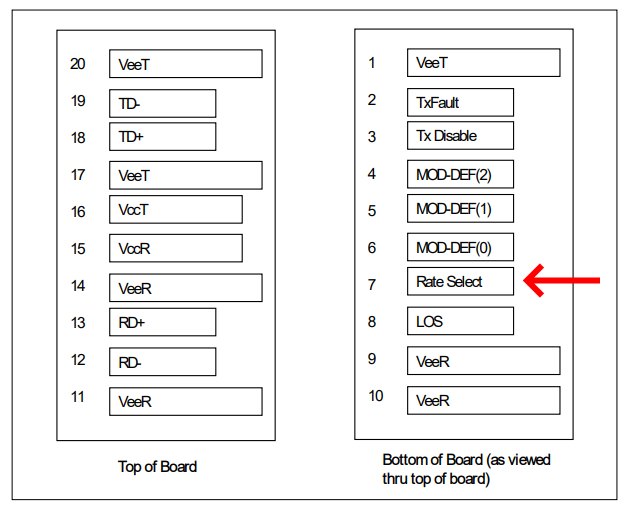
Figure 1.2: RateSelect Circuit configuration.
It works very well in ONTs that are regular box devices with external power supply. But - in case of SFP module - there is no space for proper capacitor. But - DyingGasp is still physically implemented - SoC measures power supply via.. SFP PIN(7) (IN) (RateSelect).
Well, this PIN definition is obsolete and not used today as desired. However.. if that PIN(7) is grounded, it causes a DyingGasp trigger and loop of reboots (as DG initiates also module reboot, just in case, not to leave TX laser enabled so not to kill entire OLT port..)
In case of older mikrotik routers - this PIN(7) could be set by software switch, but it changes from version to version.
In other devices it was a lottery... Our solution was to permanently disable DyingGasp feature in since one of our GPON Stick firmwares. And in fact it was useless, as host devices we met - do not provide proper DyingGasp signaling to PIN(7). However, if it is necessary - we can enable that in separate line of firmware.
SerDes (Serializer-Deserializer) related part.
SGMII - is a standard, 2 pair (TX + RX) differential serial interface used to transmit 1Gbit/s when SFP port is engaged.
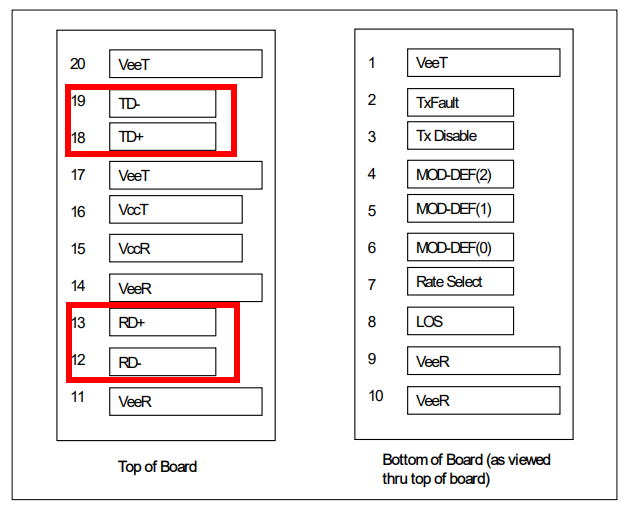
In fact the speed is 1.25Gbit/s and it includes all the necessary headers and synchronization patterns to carry 1Gbit/s ethernet. SGMII can do auto-negotiation, but - it does not negotiate the speed in context of serial speed, as bitrate is always 1.25Gbit/s.
However, if the PHY (PHYsical layer device, in example the one that converts SGMII to 1000BaseT standard) is configured to 100Mbit/s on copper port side - it informs MAC (Media Access Control) - that each frame will be repeated 10x. In case of 10Mbit/s on copper side, each frame is repeated 100x. Also a duplex operation can be negotiated.
Sometimes, especially when there are 2 devices connected with each other via SGMII link - (like Realtek9601C chipset, with eg. Qualcomm chipset - it is MAC-MAC scenario) - auto-negotiation may fail.
Failure reason is usually a bit different implementation of auto-negotiation process, it may differ with i.e. timers used on both sides.
Similar situation occurs when 2 ethernet switches are connected via 1G fiber link, and for some reason link is NOT UP, or - it does not come UP after one of the switches reboots.
Most administrators recommend to disable auto-negotiation - and it resolves all the issues (except like 1 of duplex fibers goes down, and the other remains ok).
Our SFP Stick is able to work in both modes - auto-negotiation enabled and disabled (that is more stable).
Now - GPON has 2.5Gbit/s downlink and 1Gbit/s uplink.
So... is it possible to use entire bandwidth on downlink? Yes, it is.
HiSGMII (High-speed SGMII) increases the speed 2.5 times.
So instead of 1.25Gbit/s we get a bitrate of 3.125Gbit/s towards SFP slot (in both directions, even if on optical/GPON side in uplink direction it will be limited to 1G).
One more thing important to mention - LOS (Loss Of Signal)
If your GPON link is not connected (or broken) - it activates LOS alarm, that is sent towards SFP slot PIN(8).
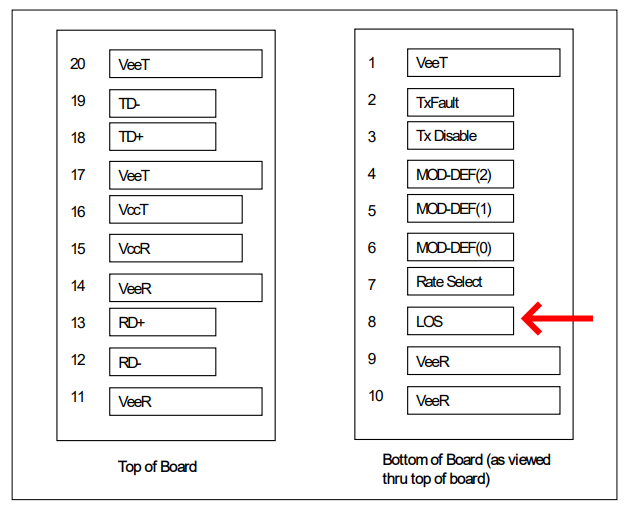
In many "more intelligent" devices, this will cause data link down. That is a protection mechanism to avoid one way communication over 2J (2 fiber) links with regular SFPs, once ports are configured with no auto-negotiations option.
So just in case, if SFP reports LOS - put the link down.
This will cut off management, I mean - no way to telnet/ping GPON Stick with no fiber connected.
Some newer Mikrotik router/switch OS have an option to ignore LOS. Others, like simple converters - ignore LOS..
And if it is a deep problem, we have an option to configure internal MCU (yes, our stick has an internal MCU) - to also ignore LOS alarm (not to set it on PIN(8)). However, it is not preferred way of operations.